Sunday, May 25, 2014

Back To Android: The Camera Showdown

WIN_20140521_152853

The first thing that worried me about trying the HTC One after using my Windows Phone devices for so long was if the camera would be able to hold up well enough to produce even decent images. Going from the standard Nokia 8MP shooter on my Lumia 810 to the PureView camera on the Lumia 925 was a gigantic step forward. The last thing I wanted was to pull a step backwards and go from amazing images to a poor quality 4MP shot. So, let the testing begin.

These side by sides were shot on an overcast day at Woodland Park Zoo in Seattle. Both cameras were set up on Auto mode and were setup to select settings based on where the screen was touched. So, without further explanation, here is the first set of images.

01 02

The challenging aspect of this image set was the highly contrasting skyline and the darker area in the lower area of the penguin exhibit. Looking at the first image, the camera produced a much better exposure of the penguin area, but the sky became blown out. The lower image did a much better job of capturing the background, but left the foreground so dark that it is hard to make out the subject of the image. Overall, I prefer to lose a bit of the background and have the focal area turn out better. This one goes to Camera A.

03 04

Again, a challenging shooting situation. The darkness of the inside of the carousel against the brightness of the day outside through the glass enclosure. The first image delivers a better white and slightly more accurate coloring. The background coloring in the second image is more consistent with reality, but again, I am going to pick Camera A for the clarity of the subject over the slightly more detailed background.

 05 06

In this closer in shot, detailing became paramount. Of course, I was also inside a darkened carousel, which was a really great test of the lower light capabilities of both devices. As you can see, the first shot again pops the closer in details out and delivers a natural coloring. The second image is a bit more saturated, which can be a good thing or a bad thing. The gold tones in the second image are actually a bit closer to reality, but overall the first image is just a touch cleaner giving camera A another win.

 07 08

As I went into the bird house, I saw an amazing opportunity to snag a shot of a bird on a branch. Both cameras did a fantastic job of snagging this quick scene. The first image seemed to crop a bit more, but the colors came out almost electric. The second image was a bit more subtle and softer. My personal taste on this one would normally lean towards the sharper of the two images, which will again be Camera A.

09 10

On this outdoor shot, both cameras performed flawlessly. Side by side, the images look like they could have been taken by the same camera. You can see in the background again one image is a bit less detailed, but not so much so that you can say there’s a clear winner. I will call this one a draw between the two cameras.

11 12

Looking at the next image of an elk in a field, you can see the similar result that was produced with the penguin image above. The light areas at the top of the image are blown out in the first image, but the subject matter is much cleaner. The second image keeps much more detail in the clouds, but loses quite a bit in the subject area of the image. Again, I will take the detail that Camera A captures over the blown out background.

13 14

Taking the same image above and applying the full range of the digital zooms of both cameras produces a much different story. The first image just didn’t do a very good job of keeping the image smooth. The second zoomed image is much smoother, even if it is still grainy, at least it is the quality that you might want to share on Instagram or Facebook. This round goes to Camera B.

15 16

Moving back in to the forest area, there was a beautiful eagle in a tree behind a fenced off area. Image one was pretty accurate overall, and image two seemed to have a bit better exposure on the back side of things. Overall, this one comes out a tie with a slight, slight edge to Camera B, but not enough to win the round outright.

17 18

The close up of the eagle was even more interesting. I give the first camera props for being able to shoot through the fence so cleanly. The image turned out darker, but with decent detail for sharing. The second image is actually a cleaner image, maintaining a much smoother line than the first, but the exposure seemed to be thrown off by the dark bird and the lighter sky behind. Again, I won’t pick a direct winner on this one, but Camera A takes a slight edge on this one, even though I don’t think either one is a particularly great image.

Overall, I have to admit that I have chosen Camera A for the victory in this image contest. With an overall better performance, despite the terrible zoom quality, the device just did a better job in most cases. Now the biggest question is, which was Camera A and which was Camera B? Unfortunately for me, Camera A is the HTC One M7. It was a complete and total surprise to me that the One dominated my choice of images so heavily. Overall, both devices have a very capable camera, but the Nokia did not have the clear edge that I thought it would on this one. So, congratulations HTC on making such a great concept as UltraPixels and actually making them work. Now, that said, how about working on that zoom?

Tuesday, May 20, 2014

Long Time No See, How Ya Been?

WIN_20140520_062223

June 8, 2012… I wrote my last post about Android and the Evo series of phones. While I never thought I’d be going back to Android after experiencing Windows Phone, and especially the Nokia Lumia 925, I found myself given an opportunity to give it a go again with the One by HTC. First off, let me clarify that I have an M7, so it’s not the latest or greatest Android powered monster, but what I can say is Droids got quite a bite smoother over the last 2 years.

Two years ago, I kissed Android goodbye. for the greener pastures of Windows Phone. It was cleaner, ran smoother and honestly, the App Gap just didn’t matter to me. My love for HTC devices carried through my Windows Phone days though with a few different HTC devices being my daily drivers. Ultimately, Nokia’s excellent software bundles won me over and I went from the Lumia 900 to a Lumia 810 and finally a Lumia 925, All three of them did what I wanted my phone to do, social media, great cameras and were just buttery smooth everyday. Then HTC happened again.

WIN_20140520_062345

My boss was upgrading his Droid Maxx on Verizon and had his upgrade narrowed down to the HTC One M8 and the Nokia Icon. I posted on Twitter to Nokia that they needed to get me an Icon ASAP to let him test-drive, and who reached out to me first? HTC did. The grand folks at HTC Developers (and yes we go back a ways) sent over this lovely device to show how smooth their Sense 5.5/6 OS was and how powerful the camera was. The camera was an area of major concern as the “4MP” branding is pretty scary to look at when you compare it to the 20MP Icon, but the One shined in that department.

WIN_20140520_062327 

The 4UP and yes, I used the UP rating for the UltraPixel definition for this one, shoots most  situations very well. It does remarkably well in closer action than distance stuff, but even landscape shots turn out nicely. I probably won’t say it will out due my Lumia 925 in lowlight either, but It does a decent job overall. Colors are accurate, clarity is good and the interface is FAST! From lock screen to photo in an instant and snapping shots is even faster.

HTC also built a few new modes into the camera. There are quite a few tricks to it and I don’t want to get in to all of them, but the most amazing one is the Zoe function. Zoe basically shoots a 3 second “video” of your subject, then uses those images to stitch together a video of them. It almost looks like a stop animation film. It’s a very cool effect.

WIN_20140520_062345

Moving onward to a few other features, I find it necessary to mention that your HTC One can function as a TV and cable box remote. Yes, it sounds a bit strange, but HTC has a mega software App built in to this that will tell you what’s on, when it’s on and change the channels for you. It’s pretty spectacular. Now being a cable cutter, I don’t really see the need for it, but if you have 200+ channels of fun and need a way to stay organized, HTC TV is the way to go.

WIN_20140520_062251

Since I covered the camera already, the other function that I use my device for heavily is music for my walk to the office. My Nokia was great for this with Nokia Mix Radio, which gave me a free stream download every morning to check out. I don’t have this for the HTC One, but I do have Beats, and Beats sounds good. Actually, Beats Audio sounds superb. Clean, clear and plenty of thump when needed is the only way to sum up the audio quality with this device. I do miss my free playlist every morning, with Google Music I can make playlists online and have them offloaded to my One for listening later. It’s not quite the same, but it is close enough for now.

Overall, so far I am very impressed with how Android has grown up. It almost reminds me of the direction that Microsoft has taken with Windows Phone 8.1. I guess I will see where I am in a week or so and see if the One is really the One or if I am heading back to my Nokia Lumia and the comfort of Windows Phone.

Friday, June 8, 2012

The EVO Lives Again...


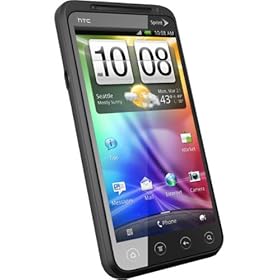
Sprint has once again revived itself from the poor showing of the EVO 3D to bring forth a true successor to the original EVO 4G. Whether it was a planned hiatus or if they really thought the 3D tech would woo many newbies to the company, a true EVO hero was no where to be found. Where the EVO Shift, EVO Design and EVO 3D all failed to bring the crowds back to the nation's 3rd largest cellular carrier, the new EVO 4G LTE is doing the trick rather nicely.

The EVO 4G LTE is not a device that I will personally be carrying in my pocket, as I have moved on to a new carrier and a new platform, but for many, it is a shining star that replaces those worn kickstand toting devices from long ago. As the Sprint version of the HTC One X, the EVO 4G LTE is quite an amazing piece of technology. 

Facing a 4.7" display is amazing, but one with a 1280x720 resolution is downright wrong. The clarity, crispness and overall beauty of the screen is brilliant. The dual-core 1.5Ghz Snapdragon processor drives the Sense over-layed Android 4.0 OS easily and without any perceived lag. The 1GB of RAM might be a concern a year from now with the size of Android Apps, but worry about that later, for now, it's more than enough to work through the day. The 16GB of on-board storage is also augmented by a micro SD slot that will expand to 48GB without any issues.

While the hardware is excellent, the one problem that the EVO 4G LTE has is the lack of a network to support it. With Sprint's lowly 3G performance, usually in the 600kbps to 1Mbps downstream range, the EVO 4G LTE just seems mediocre. Hopefully Sprint will be able to start firing up some of the LTE markets sooner than later, but for those in WiMAX areas, that 2 year old EVO 4G will still smoke this new guy in terms of download speeds.


Tuesday, May 8, 2012

Virgin Mobile and Boost Mobile Bring Back The EVO


The EVO is returning, to a starring role in the next few weeks. Sprint MVNO carriers, Virgin Mobile and Boost Mobile are bringing back the EVO line in the form of the EVO V 4G (a rebranded EVO 3D) and an undecided new name for the EVO Design 4G. The EVO V 4G will be hitting Virgin Mobile shelves at the end of May. The Design will be hitting Boost locations about the same time.

While this may be an uninteresting point in the history of the EVO 4G, one has to appreciate that this means that the WiMAX network will hopefully be up a bit longer than originally thought. In any case, both devices will break with a $299.99 price tag on May 31st and with sub-$60 prices for unlimited plans from either carrier, the deal is a pretty great one.

Sunday, January 29, 2012

My Evo 4G is Retiring...

It is a sad day when I think about giving up my favorite phone that I have ever had. Not because I am getting something newer and more powerful, but to save a TON on my bill. Over the last 20 months, my EVO has been everywhere with me. Shooting video, taking amazing photos, and capturing my life in blogs, Facebook, Twitter and Email.

To give the quick history of what brought me to the EVO and what is now leading me from it isn't an easy thing to put down, but to make a very long story short, I started with WAP enabled devices running on AT&Tn 2002. I then moved to Verizon Wireless and the LG VX7000 feature phone tethered via Bluetooth to a Dell Axim X30. After a few months of carrying 3 or 4 devices, I moved to the Windows Mobile powered Motorola Q. After suffering through terrible battery life for a few months, Verizon was kind enough to let me have a new BlackBerry Pearl.

At this point, I was sold on the battery life, push notifications, and performance of the BlackBerry and in a few months the Storm was coming. Unfortunately, the Storm never really worked well and it was back to Windows Mobile and the amazing Touch Pro 2. From the TP2, a quick move was made to the Samsung Moment when I left Verizon for Sprint.

After 3 months with the incredibly underpowered Moment, a brand new EVO 4G was offered up and I took advantage of it. From that lovely June day onward, the EVO replaced my point and shoot digital, my video camera and even about 50% of what I used my laptop for.

Finally, 20 months later, Android apps just overwhelm the storage capacity, the OS is surprisingly buggy for a 2 year old device and most importantly, my Sprint bill continues to climb. So, off to a new experiement for me, and a savings of $50 a month...

Tuesday, December 20, 2011

Why The Evo 4G Is Dead

While it hasn't quite disappeared from Sprint stores yet, a startling realization is beginning to be found by Evo 4G users, both new and old... Apps have gotten BIGGER!

Unfortunately, as the progression or maybe even the evolution of Apps has happened, devices with limited internal storage are quickly becoming obsolete. Sure, there are options like Apps2SD or even the old just leave it stock, but if you truly want the unlimited experience, then you're going to need more than the 1/2 GB that the Evo 4G offers.

To round this out, keep in mind that the Evo 4G features 512MB of internal storage. Of this, about 1/2 is used by Gingerbread and Sense. This leaves around 250MB of App space. Half of this can be used up with just Google Maps (12MB), Google Docs (15MB), Google+ (30MB), Facebook (15MB) and Bejewelled 2 (50MB).

It might be time to finally root and remove that vintage bloatware that Sprint installed 2 years ago for newer options. Maybe just praying for that Evo 4G+ might work too...

Tuesday, November 29, 2011

Solving The White Reboot Screen

One area of frustration for all the EVO users, since the Gingerbread update that is, is the "White Reboot Screen from Hell". The white screen slows the device completely to a crawl while Sense reboots. While not all suffer from this terrible affliction, there are more than a few that have had this issue. So, after months of solid testing, the results of the cause are in.

First off, it appears that the cause of the Sense reboot issue is caused by Apps being placed on the SD card. When the SD card is read, it launches the App and Sense is terminated. It appears that this is a safety mechanism built into the file system. Why it's built this way, we aren't sure, but we can tell you we have certainly solved the issue by understanding why it's doing it.

By placing only 'media centric' Apps on the card, we eliminate the common resets and only reset Apps that don't fit well in the internal storage. Google+, Hulu and Netflix are 3 pretty large Apps that will eat the EVO's memory all too quickly. When launching Apps from the card, realize that Sense will reboot and you will get the white screen.

When using daily Apps like Facebook, Foursquare or Twitter, make sure to keep those on the device memory. It's these hourly drivers that seem to cause the phone to kick off regularly and require Sense to restart. By keeping them in the device memory, we've eliminated the reset issue until we launch an App that is stored on our SD card.

So, store on the device as much as possible, but for those monsters that need that SD storage, just be aware that the reset is real and learn to expect it.

Monday, November 14, 2011

5 Minute App Review: Criticall


Are you one of those people that really likes to shut the volume off on your device overnight, but doesn't want to miss an emergency phone call? Well, the folks that programmed Criticall have your answer. Criticall allows you to silence your device except for those calls from people that you deem worthy to interrupt your sleep, quiet time or even just the times you don't want to deal with people.

Criticall works perfectly on our devices, takes seconds to set up and allows complete customization for those that need it. For those that wonder, night time isn't the only time to use Criticall. Movie theaters (for when the kids are home with the sitter and you have your phone silenced), business meetings, or even other 'less opportune' times for your phone to ring off the hook are great times to activate Criticall.

Criticall:  5 out of 5 stars - available free from Getjar or $.99 in the Android Market.

Thursday, September 29, 2011

Opinion Poll: What Sevices Do You Use From Your EVO?

All the talk of the cloud, storage, data restrictions and general craziness regarding cell providers and where it's all going really got us wondering... What data services do you use on your EVO?

We want to know the basics from 5 categories...

1) Photo Sharing
2) Video Sharing
3) Music/Entertainment STREAMING (playing from your SD card doesn't count)
4) Off Device File or Document Storage
5) Wild Card Apps - These can be used for STREAMING or Storage but may not fit into the categories above.

We've heard from quite a few users about the issues/praises that some services offer and so far the top recommendations are... Drumroll please...

1) Photo Sharing - Picasa (Google+), Flickr, Peep, Tweetcaster, Twitdroyd and Facebook

2) Video Sharing - Qik, YouTube and Facebook

3) Music/Entertainment STREAMING - Pandora, Amazon MP3, Music (upgraded for Google Music), Netflix, Hulu+ and Crackle

4) Off Device File or Document Storage - DropBox, Skydrive (via Sorami or other), GDocs (Google), Amazon Cloud and ZumoDrive

5) Wild Card Apps - FilesAnywhere (document storage and faxing from your device), Smaba Fileshare (access your device over a Wi-Fi connection in Windows), SendSpace File Transfer and aDownloader.

So, chime in below and let us know what you use!

Monday, September 19, 2011

Horrible Battery Life? Check That Signal!


Since day one, the HTC Evo 4G has been ridiculed for it's, "Not so great battery life - especially with the 4G radio on." We found a little something that makes life better for those Evo users that have poor battery life - and realized how big of impact it can make when it's not working correctly.

The Airave Airvana from Sprint is designed to boost your CDMA voice and 3G data signals in a 5000 to 10000 square foot area around the box. We received one about 45 days ago from Sprint to help with our dropped calls and 'no ring' calls that we experienced indoors. For the first 30 days, the box was sheer perfection. Since then, we've had nothing but issues.

The Airave began with sending bulk messages, like 20-30 at a time to the same user. Then it moved on to not holding a connection for more than 2 hours. Finally, it stopped connecting all together. Sprint said it was the Airave and they would replace it. That leads us up to today.

Before the Airave, our battery life was terrible - 2 to 3 hours indoors would drain 60% of our juice. We could make it 5 hours with little use before the 15% warning popped up and told us to charge. Once the Airvana was online, the same 'sitting time' would leave us at 80% with no use or about 5% per hour of use. There was definitely something there.

This morning, I did my usual unplugging procedure where upon leaving home, I would be sitting at 94-96% battery and ready for the day. Today, without the Airave, I was at a lowly 82%. In 55 minutes, my battery had plummeted from 100% to 82% with minimal use. Then I saw the real shocker...


Yes, you are seeing that correctly, 99% of time without signal is the worst the phone will register. That means for the hour that I was unplugged, the battery burned 20% of itself looking for a radio signal. I guess what we are trying to say is before you start pointing fingers at the battery of the EVO, maybe start looking at the quality of your signal. If you aren't getting more than 2 bars consistently, it might just be time to call Sprint.

Friday, September 16, 2011

PrinterShare Site Overwhelmed With Amazon App Of The Day Users


When it comes to printing from your Android device, PrinterShare has been at the top of the selections for some time. The $14.99 investment made you able to print a few different formats at first, but recent updates brought Gmail, Docs, PDF's and more into the fold. It was, for all intents and purposes, a lifeline for business users that needed hard copies of documents from their devices. You simply paid your fee, downloaded the PC software and you were good to go.

Late last year, Google released their 'cloud print' service that worked with the device and Chrome and could be set up to print to any computer that was synced to your "G" services. While we had decent results, we still preferred the ease of PrinterShare and still recommend it to everyone asking.

Today, the impossible happened, in that Amazon is giving away PrinterShare premium as their App of the Day. While this is an amazing freebie application and everyone should go get it, the one thing that stood out to us is the download times on the PrinterShare website. Normally, we can log in and download the software in seconds - today, it was almost 30 seconds before the site loaded. It also took nearly three minutes before the software was downloaded. The servers obviously weren't ready for this influx of customers.

Hopefully this isn't a sign of things to come for a software program that we love dearly (although can we have a refund since it's free now? - hey, doesn't hurt to ask does it?) and a team that gives wonderful support. If the App of the Day continues to kill developers with 100k users that take advantage of the offering and straining their systems, we just might see the end of useful apps being offered. For now, head over to the Amazon App Store and grab PrinterShare - then head to printershare.com and grab the desktop software for your computer and enjoy the printing!

Wednesday, September 7, 2011

Sense 3.5 Coming To An Evo Near You?


In a wonderously shocking development, a few of those amazing developers have managed to cram the latest and greatest version of HTC Sense on to the Evo 4G. Check out the video above - and for the first 10 minutes or so, it's a bit tedius, but the last 2 minutes sure does have some excitement to it.

Friday, September 2, 2011

Maintenance Update Hitting Evos Now

Lucky Evo users woke up to a new OTA update this morning. Firmware version 4.53.651.1 is now making the download rounds for all the Evo 4G patrons. The firmware is a minor update to fix bugs and craziness that some users have been experiencing. These include:

The "Out of memory, Unable to send SMS error" has been corrected. If you are a Picasa user, they fixed the "Images cut off in Picasa issue". They also fixed "Group contacts not in alphabetical order issue". The "Image size issue with contact transfer over bluetooth" has also been resolved. Most importantly, the "Integrated voice recognition accuracy with voice search and voice-to-text" has been corrected.

Version 4.53.651.1 is available right now via automatic and manual download. If you want this update earlier than scheduled, simply press Menu - Settings + System Update + HTC Software Update and watch for bit to become available. You can expect to do the manual check more than a few times before it finds the update.

A quick word of caution to Root and Revolutionary users, it's not known if this destroys the root access or not. If you need to be rooted, do not take the OTA update until it's fully checked out.

Tuesday, August 30, 2011

Make Money Selling Cellphones


It's a great day when a tech enthusiast can make a few bucks doing what they love. Fortunately for everyone reading, today is that day. Our retail partner is hiring affiliates right now and they want social network butterflies just like you to help. The best part of this program is you get commissions on sales, renewals, accessories and more! Our vendor is also offering pre-paid cellphone refills, handsets and other cellular deals that get bonuses and added specials.

The beautiful part about this is that it costs you nothing. You set up your username, password and affiliate number and get rolling today. Print cards, flyers or anything else you might need and get the word out. Special new subscriber pricing and discounted renewals will help friends and families get great deals on wireless phones and accessories. For more information, please visit our online portal.

Post #100 - Thanks for Following

It's not often that a blog is written almost entirely about a phone - from a phone. While there are plenty of EVO blogs out there, we've tried to remain true to a non-rooted, non-modified EVO 4G. We've covered news, how-to's, and even what you can do to make life easier with your EVO.

Today marks our 100th post on the device and we just wanted to thank you for following us. As the EVO's speculated EOL date comes closer, we'll continue to help everyone make the most of their device. Until that day comes though, keep tuning in to see advice, how to's and more!

Again, thanks for reading and we look forward to another 100 posts soon!

Thursday, August 25, 2011

5 Minute App Review: Executive Assistant

For those new to Android and just aren't ready to leave that Windows Mobile or BlackBerry home screen behind, there is hope. Executive Assistant is the app that will change everything, or maybe just put everything back where it was.

Like a flash from the past, you can have that familiar Today Plus feel of a BlackBerry or that original Windows Mobile today screen. Executive Assistant makes it easy to see your your entire day in one quick glance.

Missed calls, messages, emails and more all on one compact home screen. It's a data overload, but in a good way. Easy to configure and even easier to use, the app is amazing for old school smartphone users and those that want it all on one screen.

Unfortunately, it takes the major leaps and bounds that home replacement widgets have provided and rolls you straight back to 2005.

Executive Assistant - $6.99 in the Amazon Appstore

Airave SMS Issues?

This one is coming at you straight from the personal experience department. Yesterday, my Evo began blasting friends and family with 25 to 30 text messages in repetitive fashion. Today, my wife's Evo started receiving multiples in the same fashion.

It was crazy times, and two calls to Sprint still had her device in a panic and me nervous about sending a text. That was until I said the word - Airave...

Once I mumble the word into the phone, the Sprint rep shoved me off to Airave support where 5 minutes later they were resetting my box. Apparently this is a known problem with the Airave support people and isn't general knowledge to the rest of the CSR's.

The warning signs to watch for are the scary "Radio Interface Resource Shortage" Error Code 64, Error Class 2 or the even easier to spot 'ghost messages' showing up multiple times a day. Once you see these, get outside where you have good coverage and call that magical *2 and get directly to Airave support. You'll thank us later.

Qik's New Premium Feature Takes Away From Long Time Users


Generally, first adopters get a bonus as a company grows and flourishes - or in most cases, gets bought out. Unfortunately, for EVO 4G users that have come to depend on Qik for Sprint on their devices, the new Premium service plan has cut the service level immensely from what was there previously.

From day 1, Sprint EVO 4G users could upload videos, chat away with friends and even share online streams with relatives with no additional cost. Today however, Qik announced for ALL users a new Freebie/Premium structure that decapitates the service that so many have been using for so long.

Beginning with the buyout of Qik by Skype (now a Microsoft company), the service level and quality of Qik has been dropping quickly. It began as an all-you-can-eat buffet of video sharing and streaming over Sprint's 4G network. Today, it has become a $5 bill to continue that usage. Sure, you still have the free option - capped at 25 uploads, but still offering the unlimited Qik to Qik service, and streaming (if it doesn't replace video #1 with the streamer)...

Basically, for EVO users, Qik was the fastest and easiest way to share videos with everyone on the internet. Today, we are now faced with paying that $5 fee per month or reassessing how to share videos or switching to YouTube, Facebook Video or another video sharing site to continue that practice over 25 flix. The chat service is easy enough to replace as Tango, Skype and for root users, GTalk are now all making use of the device's camera.

Overall, we just hope this prompts Sprint to allow bloatware removal on the 4G soon (maybe with one last update that fixes the Sense issue as well?) because for most avid video sharers, Qik just became dead weight and a hefty amount of storage space that isn't going to be used.

Wednesday, August 24, 2011

Maintenance Rollout For The Evo 4G Coming Soon

With hopeful eyes we read the amazing news of the HTC Evo's next maintenance upgrade coming in the next 10-14 days, just wishing to catch wind of a fix for the "Sense Loading Issue" that everyone loves so much. Unfortunately, the changelog made no mention of our little issue and that might be a good or bad thing... As for what was fixed, it was a pretty good list of issues -

HTC EVO Software Update - 4.53.651.1
Enhancements/Fixes:
- Integrated voice recognition accuracy with voice search and voice-to-text
- Image size issue with contact transfer over bluetooth
- Images cut off in Picasa
- Group contacts not in alphabetical order
- Out of memory, Unable to send SMS

Of these, obviously the voice recognition is the biggest issue, but the Picasa upload issue has been plaguing users for some time now as well. We can't recall ever sending a contact over bluetooth, but we're sure that's appreciated too. Recently, we've had a few days of network errors and Unable to send SMS problems, but that was probably either tower maintenance or just the network being busier than normal due to things like the east coast earthquake on Tuesday.

The rollout is expected sooner than later on this one as Sprint is probably going to make this the last update before ending the EVO's run in the next two months.


Important Notes:
- The new software version is: 4.53.651.1
- This update will be released in stages to devices over the next 1-2 weeks.  When manually trying to initiate the update, you may receive a message  that no update is available.  Please be patient and check back later, or you may wait until the update is automatically sent to your device.
- Refer to the HTC EVO Software Update blog for install instructions.

Remember, root users, if you are rooted, this may delete the root feature from your device. If you are not rooted, you should receive the notice to update soon if you don't want to manually do it yourself.


Sunday, August 21, 2011

5 Minute App Review: Txt Msg Away Message

Don't we all love the Amazon Appstore Free App of the Day? Most of the time, the FAOTD is something fun, but not really useful. Today is definitely an exception. How many times have you jumped in the car and been driving down the road and heard that messaging tone go off? Well, stop worrying about that with Txt Msg Away Message.

Txt Msg Away Message is a simple widget program that turns on an auto reply txt message that is sent to anyone that messages you while it's active. At the movies? Turn it on... Driving? Turn it on... In a meeting? Turn it on...

This app is so simple its downright scary. Of course, there are a few issues with the program, but the only "major flaw" we saw with it was the inability to play nicely with apps like GoSMS and Handcent. Other than that, with stock messaging programs, this app is a wonderful deal.

Txt Msg Away Message - 4 out of 5 stars - $1.99 available in the Amazon Appstore or Android Market